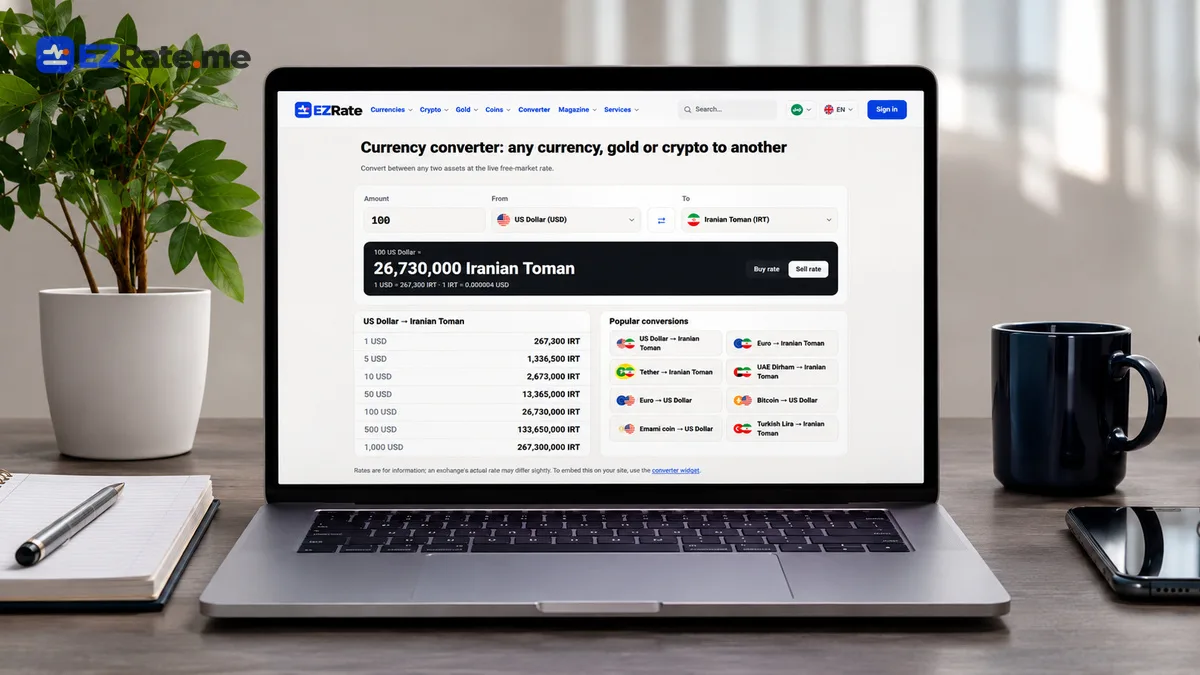
WooCommerce Live Currency Rates: Auto-Update Toman Prices from a USD Base Price
Set up a WooCommerce live currency rate: auto-update Toman prices from a USD base price with a small plugin, WP-Cron, caching, thresholds and rounding.

- Store a USD (or AED/EUR) base price per product in a custom field and let WP-Cron recompute the Toman price from the live rate.
- Cache the rate in a transient, skip updates when the rate is low-source and only save when the change exceeds a threshold.
- For display-only needs (a ticker in the header), the free EZRate WordPress plugin is enough — no code.
Iranian WooCommerce stores that sell imported goods face the same problem every week: the dollar moves and hundreds of product prices are suddenly wrong. This guide builds a small plugin that keeps a WooCommerce live currency rate in sync, recalculating Toman prices from a USD base price automatically and safely.
base × rate × (1 + margin), rounds it and updates _regular_price only if the change is above 1%. It skips updates when low_sources is true and caps jumps for review.Part of the Iranian Rial exchange rate API guide. The business logic is explained in dynamic pricing in Toman. Persian readers: WooCommerce dollar-based pricing.
1. Plugin skeleton and settings
<?php
/**
 * Plugin Name: Toman Live Pricing
 * Description: Recalculates WooCommerce prices from a USD base price using EZRate live rates.
 */
defined('ABSPATH') || exit;

// Put the key in wp-config.php:  define('EZRATE_KEY', '…');
const TLP_MARGIN = 0.15;      // 15%
const TLP_STEP = 10000;       // round up to 10,000 Toman
const TLP_MIN_CHANGE = 0.01;  // 1%
const TLP_MAX_JUMP = 0.06;    // 6% per run without review
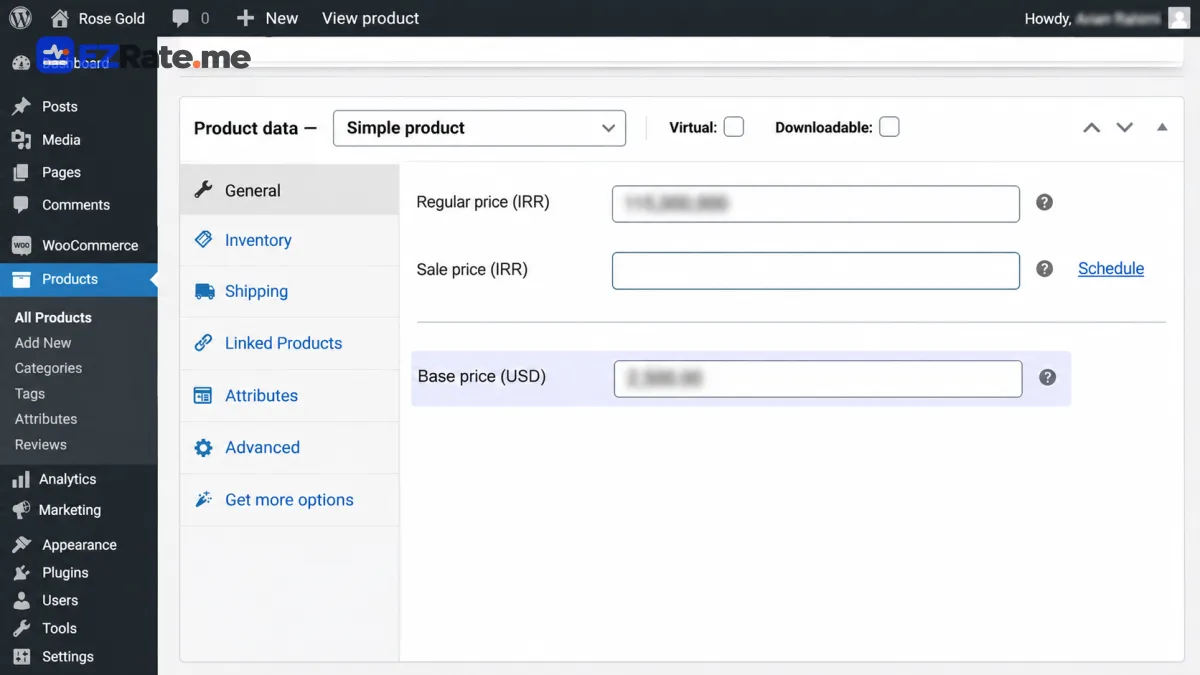
2. Base price field
add_action('woocommerce_product_options_pricing', function () {
    woocommerce_wp_text_input([
        'id' => '_tlp_base_usd', 'label' => 'Base price (USD)',
        'data_type' => 'price', 'desc_tip' => true,
        'description' => 'The Toman price is recalculated automatically from this value.',
    ]);
});

add_action('woocommerce_admin_process_product_object', function (WC_Product $p) {
    if (isset($_POST['_tlp_base_usd'])) {
        $p->update_meta_data('_tlp_base_usd', wc_clean(wp_unslash($_POST['_tlp_base_usd'])));
    }
});
3. Fetch and cache the rate
function tlp_usd(): ?array {
    if ($hit = get_transient('tlp_usd')) {
        return $hit;
    }
    $res = wp_remote_get('https://api.ezrate.me/v1/rates/usd', [
        'headers' => ['X-API-Key' => EZRATE_KEY], 'timeout' => 10,
    ]);
    if (is_wp_error($res) || wp_remote_retrieve_response_code($res) !== 200) {
        return null;
    }
    $usd = json_decode(wp_remote_retrieve_body($res), true)['data'] ?? null;
    if ($usd) {
        set_transient('tlp_usd', $usd, MINUTE_IN_SECONDS);
    }
    return $usd;
}
4. The scheduled repricer
register_activation_hook(__FILE__, function () {
    if (! wp_next_scheduled('tlp_reprice')) {
        wp_schedule_event(time() + 60, 'tlp_30min', 'tlp_reprice');
    }
});
register_deactivation_hook(__FILE__, fn () => wp_clear_scheduled_hook('tlp_reprice'));
add_filter('cron_schedules', fn ($s) => $s + ['tlp_30min' => ['interval' => 1800, 'display' => 'Every 30 minutes']]);

add_action('tlp_reprice', function () {
    $usd = tlp_usd();
    if (! $usd || ! empty($usd['low_sources'])) {
        return;                                    // no data or thin data: keep prices
    }
    $ids = wc_get_products(['limit' => -1, 'return' => 'ids', 'meta_key' => '_tlp_base_usd', 'meta_compare' => 'EXISTS']);
    foreach ($ids as $id) {
        $p = wc_get_product($id);
        $base = (float) $p->get_meta('_tlp_base_usd');
        if ($base <= 0) continue;
        $new = (int) (ceil($base * $usd['sell'] * (1 + TLP_MARGIN) / TLP_STEP) * TLP_STEP);
        $old = (float) $p->get_regular_price();
        $delta = $old > 0 ? $new / $old - 1 : 1;
        if (abs($delta) < TLP_MIN_CHANGE) continue;
        if ($old > 0 && abs($delta) > TLP_MAX_JUMP) {
            $p->update_meta_data('_tlp_pending', $new);   // review in admin
            $p->save();
            continue;
        }
        $p->set_regular_price((string) $new);
        $p->update_meta_data('_tlp_last', sprintf('%s @ %s', $usd['sell'], $usd['updated_at']));
        $p->save();
    }
});
WP-Cron runs on page visits; on low-traffic sites, disable it in wp-config.php (DISABLE_WP_CRON) and call wp-cron.php from a real system cron. For large catalogues, process products in batches with Action Scheduler.
quote=IRR or multiply consistently — never both. See IRR vs Toman.Display only? Use the plugin
If you only want a live ticker, table or chart on your WordPress site, the free EZRate WordPress plugin provides a Gutenberg block, widget and shortcode with server-side caching. Download links are on the widgets page.
Showing price changes to customers
Automatic repricing should be visible, not surprising. Add a short note on product pages such as “price updated at 14:30 based on today’s exchange rate”, keep prices fixed while an item is in the cart for a reasonable time, and keep the _tlp_last note so support staff can explain any change. For B2B stores, consider sending a daily price list email instead of changing prices during the day.
Reviewing pending changes
Products with a _tlp_pending value need a human decision because the change exceeded your jump limit. A simple admin column or a filtered product list is enough: review the new price, apply it by saving the product or discard it. This one safeguard prevents a single data glitch from repricing the whole store.
Testing on staging
- Install the plugin on a staging copy of the store.
- Set base prices on a few products and run the cron event manually (WP Crontrol makes this easy).
- Check prices, rounding and the pending-review path, then deploy to production.
Variable products and sale prices
For variable products, store the base USD price on each variation rather than on the parent, and loop over variations in the repricer. If you run sales, decide whether the discount is a percentage of the new price (recalculate _sale_price too) or a fixed Toman amount. The safest approach is to keep sale prices as a percentage and recalculate both values in the same run, so a sale price can never end up above the regular price after a dollar move.
If you use a caching plugin or a CDN, purge product pages after a repricing run, otherwise visitors may see old prices that no longer match the cart.
Related live rates: US dollar rate, 18K gold price, Emami coin price.

Comments (0)
Comments are shown after review. Sign-in is needed to send.